Spreadsheet vs ATS: Track Candidates for Free
Can a spreadsheet track candidates for free? When a sheet is enough, where it breaks, and what a free ATS plan adds, with the TalentsGrid Free plan limits.
On this page
- Key takeaways
- Can you track candidates for free with a spreadsheet?
- When is a spreadsheet enough?
- Where does a spreadsheet break?
- What does a free ATS plan give you?
- What does the TalentsGrid Free plan include?
- How do you move from a spreadsheet to an ATS?
- When should you stay on the spreadsheet?
- FAQ
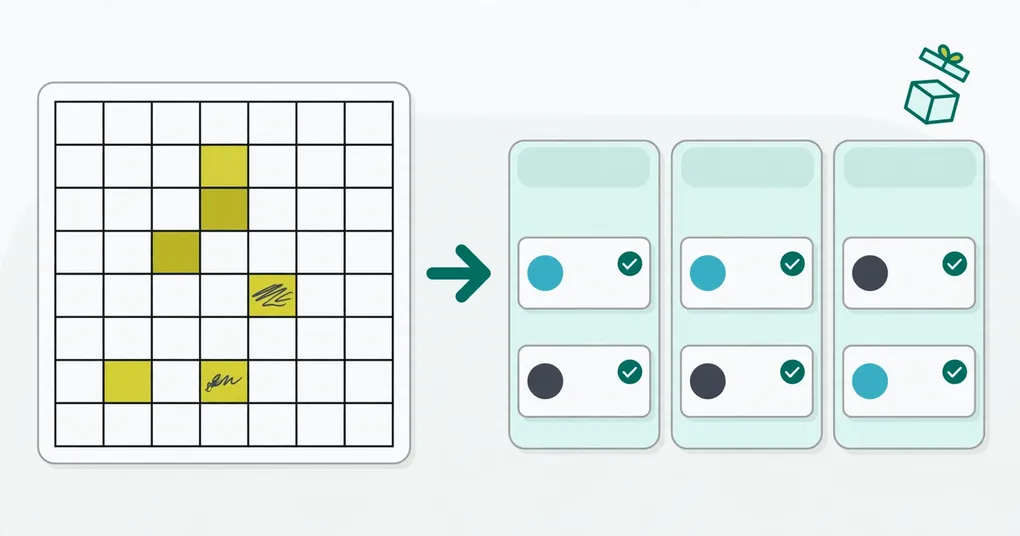
Most small teams start tracking candidates in a spreadsheet, and that is a reasonable first move. The question is when the sheet stops paying for itself. This guide covers when a spreadsheet is enough, the points where it usually breaks, and what you get from a free ATS plan instead.
Key takeaways
- A spreadsheet is enough for one role, one person and a few dozen candidates.
- It breaks when a second person edits it, when CVs live somewhere else, or when you cannot tell who you already contacted.
- A free ATS plan adds a pipeline, a CV store and duplicate checks without a monthly fee. Read the limits before you commit.
- Whatever you pick, check that you can export every candidate. Your data should leave with you.
Can you track candidates for free with a spreadsheet?
Yes. A Google Sheet or Excel file costs nothing and everyone knows how to use it. For a single hire, with one person doing the work, a sheet with a few columns does the job: name, email, role, stage, last contact, notes and a link to the CV.
The cost shows up later, in time and in mistakes, not in a bill. That is why “free” is the wrong thing to compare. Compare the effort of keeping the sheet correct.
When is a spreadsheet enough?
A spreadsheet is enough when most of these are true:
- You are hiring for one role, or two at the most.
- One person updates it.
- You have a few dozen candidates, not hundreds.
- You do not need to keep CVs organized for later searches.
- You can live without reminders or history.
These are rules of thumb, not hard limits. Someone careful can run a sheet with more candidates. Someone in a hurry can lose track with fewer.
Where does a spreadsheet break?
A spreadsheet breaks at the edges of the process, not in the cells. Watch for these five signs:
- Duplicates. The same person applies twice, or arrives through a referral and a job post. A sheet does not warn you.
- CVs live elsewhere. The row says “interviewing” but the file sits in a Drive folder or an inbox. Status and document drift apart.
- Two editors. One person overwrites the other, or deletes a tab. Version history helps, but you have to notice first.
- No shared view of stages. To see who is waiting for feedback, you filter and sort by hand.
- Notes scatter. Interview notes end up in documents, chat threads and memory.
If you hit two or three of these, the sheet is costing you more than a free tool would.
What does a free ATS plan give you?
A free ATS plan gives you a structured pipeline and a candidate database, with limits on volume or features. The details differ by vendor. For a comparison of vendors, see our free ATS roundup for startups.
Typical gains over a sheet:
| Need | Spreadsheet | Free ATS plan |
|---|---|---|
| One list of candidates | Yes, by hand | Yes |
| Stages per job | Column you maintain | Pipeline view |
| CV stored with the candidate | Link you paste | Attached to the record |
| Duplicate warning | No | Usually, check the tool |
| Shared access | Edit rights, easy to overwrite | Member accounts |
| Export | Always | Check before you commit |
“Free” has fine print. Check the cap on candidates, jobs and members, and whether you can export your data.
What does the TalentsGrid Free plan include?
TalentsGrid is an AI hiring copilot for freelance recruiters and small teams: it scores each CV against your job with quotes as evidence, turns gaps into interview questions, and keeps your candidate data yours. The Free plan costs $0 and has no card requirement. It includes:
- Up to 500 candidates
- 1 workspace and up to 3 members
- 150 AI credits per month (most AI tasks cost 1 credit)
Paid plans lift these limits. See the pricing page for current numbers.
What you get in the app instead of sheet columns:
- A pipeline per job with the stages Applied, Screening, Interviewing, Offer, Hired and Closed.
- Duplicate checks. Creating a candidate whose email or phone already exists in your company is rejected as a conflict, not silently added.
- Interview rounds and notes stored on the candidate.
- CV storage you choose. Keep CVs in your own Google Drive or in managed cloud storage. TalentsGrid only sees the files it creates in your Drive.
- Import. Bring an existing sheet in from an Excel file (.xlsx or .xls) on the candidates page, or import a CSV through the chat. Both show a preview before anything is written.
- Export. Export your candidates to an Excel file from the candidates page.
The AI part stays under your control. TalentsGrid scores a CV against a job and shows the quotes behind the score, and you decide who moves forward. It never accepts or rejects a candidate on its own.
How do you move from a spreadsheet to an ATS?
Moving is a short job if you do it in order:
- Clean the sheet. Remove duplicate rows and make sure every row has an email.
- Add a stage column with values that match the ATS stages.
- Import the file. Use the import preview to catch rows with errors before they are saved.
- Attach CVs to the candidates that are still active.
- Keep the old sheet read-only for a month, then stop using it.
Import has an insert-only mode and an upsert mode that updates by email. Use insert-only the first time.
When should you stay on the spreadsheet?
Stay on the sheet if you hire a few times a year, work alone, and already keep your CVs tidy. Switching has a small cost, and a small hiring volume may not repay it.
Choose an ATS when you manage several roles at once, share the work with someone, or place candidates for clients and need to show a history.
If you want to try it without risk, create a free workspace. If you also need to build the process itself, read how to build a hiring pipeline. To keep control of where candidate files live, read why candidate data should not be held hostage.
FAQ
Is a spreadsheet good enough to track candidates?
For one role and a small number of candidates handled by one person, yes. It stops working well when you add a second editor, keep CVs in separate folders, or need to know who you already contacted. Those are signs to move to a tool built for pipelines.
What is the best free way to track job applicants?
For a single hire, a shared spreadsheet. For several roles or several people, a free ATS plan with a clear candidate cap and an export option. Check the limits on candidates, jobs and users before you move your data in.
How many candidates can I track on the TalentsGrid Free plan?
The Free plan includes up to 500 candidates, one workspace, three members and 150 AI credits per month. It costs $0 and needs no credit card. Pro and Business plans remove the candidate cap.
Can I import my spreadsheet into TalentsGrid?
Yes. On the candidates page, select an Excel file (.xlsx or .xls) and review the preview. You can also import a CSV through the chat, which shows a review step before saving. Choose insert-only mode for a first import.
Can I export my candidates from TalentsGrid?
Yes. The candidates page exports your candidates to an Excel file. CVs stay in the storage you chose, either your own Google Drive or managed cloud storage.