ATS Data Ownership: 7 Questions to Ask Any Vendor
ATS data ownership decides whether you can leave. Use this 7-question checklist on exports, CV files and deletion, and see how TalentsGrid answers each.
On this page
- Key takeaways
- Why does data ownership matter in an ATS?
- What are the 7 questions to ask any ATS vendor?
- Where are CVs stored, and can you choose?
- What does a TalentsGrid export contain?
- How do you delete data in TalentsGrid?
- Is stored data encrypted, and are CVs used to train AI?
- How do you test any vendor before you commit?
- FAQ
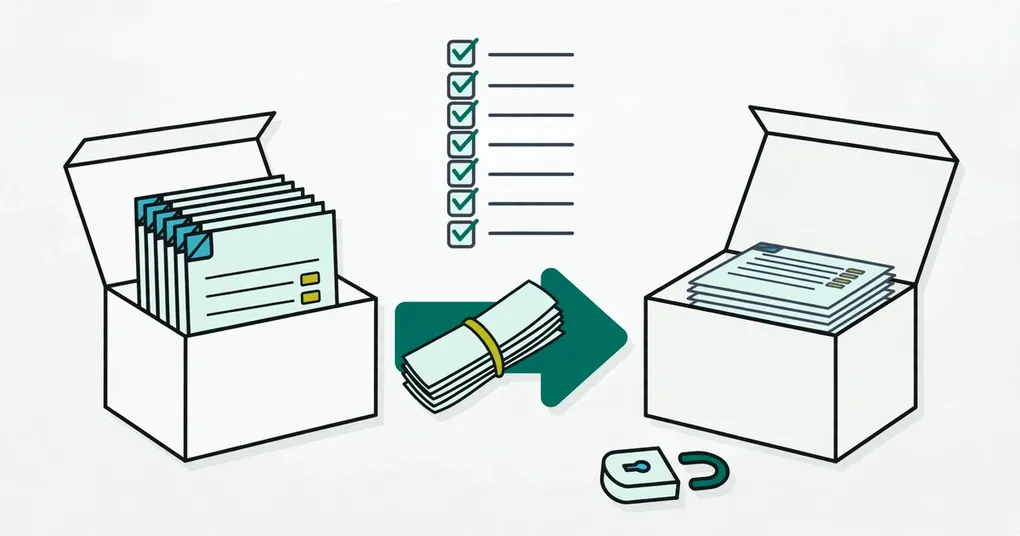
You can learn how a recruiting tool treats your data in about ten minutes, and it is better to do it before you load 500 CVs into it than after.
Short answer: ATS data ownership means you can take your candidate records and CV files out, in a usable form, without asking the vendor for permission. Test it with seven questions: where files live, what an export contains, whether CV files come with it, how you delete data, how it is protected, who can see it, and whether it trains AI. This post gives the questions and shows how TalentsGrid answers them.
TalentsGrid is an AI hiring copilot for freelance recruiters and small teams: it scores each CV against your job with quotes as evidence, turns gaps into interview questions, and keeps your candidate data yours.
Key takeaways
- Switching cost comes from two things: where the CV files are stored and what an export contains. Check both before you sign up.
- A candidate list in a spreadsheet is not the same as a complete record. Scores, notes and CV files are what you lose first.
- In TalentsGrid you choose where CVs are stored: your own Google Drive, or managed cloud storage.
- Export is partial today. This post says exactly what is and is not in it.
Why does data ownership matter in an ATS?
Data ownership matters because your candidate database is the main asset of a recruiter’s work, and it only has value if you can move it. Years of notes, CVs and pipeline history are hard to rebuild. If the only copy of a CV sits inside a tool you no longer pay for, you have to ask the vendor for it or ask the candidate again.
I am not claiming that other vendors lock data in on purpose. Many offer good exports. The point is that you should not have to guess. Ask, and get the answer in writing.
The law points the same way. Article 20 of the GDPR gives people the right to receive personal data they provided “in a structured, commonly used and machine-readable format” (GDPR Article 20). Article 17 covers erasure on request (GDPR Article 17). Vietnam’s personal data protection decree, Decree 13/2023/ND-CP, has been in force since 1 July 2023. These rules cover what you owe candidates. They do not tell you what your vendor will let you export, so check that yourself. This is not legal advice.
What are the 7 questions to ask any ATS vendor?
Ask these seven questions of any recruiting tool, including ours. A vendor that answers them clearly is easier to trust than one that points you to a brochure.
| # | Question | What a good answer looks like |
|---|---|---|
| 1 | Where are uploaded CV files stored? | A named location, and a choice if you want one. |
| 2 | If I cancel, what happens to those files? | They stay accessible to me, or I can download them first. |
| 3 | What does an export contain? | A list of fields, not “your data”. |
| 4 | Do CV files and notes come with the export? | Yes, or a stated reason why not. |
| 5 | How do I delete a candidate or a file? | A button or a documented request, with a timeline. |
| 6 | How are tokens and sensitive data protected? | A named method such as AES-256, and a stated access scope. |
| 7 | Are my CVs used to train AI models? | A plain no, in writing. |
Where are CVs stored, and can you choose?
In TalentsGrid you choose per workspace: your own Google Drive or managed cloud storage. When you create a workspace, the setup asks you to pick one. Managed storage works immediately. Google Drive needs a one-minute connection through a Google sign-in window.
If you pick Drive, CVs uploaded in the chat and on candidate profiles go to your Drive. The connection uses Google’s narrow drive.file permission, so TalentsGrid sees only the files it creates there, not the rest of your Drive. You can disconnect Drive in Settings at any time. Note that CV uploads stop working until you reconnect or switch storage.
For a freelancer with several clients, this is the practical benefit: the files sit in an account you already control, next to your other client documents.
What does a TalentsGrid export contain?
A TalentsGrid export contains candidate fields, not CV files. Here is what exists today, without rounding up:
- Candidates page, Export Excel. One row per candidate in an
.xlsxfile with 15 columns: name, email, phone, status, favorite, location, current company, current position, years of experience, skills, current salary, year of birth, URL, notes and created date. - Chat export. Ask the copilot to export candidates or jobs and it prepares a CSV file. The candidate CSV has name, contact details, skills, experience, current role and company, the AI fit summary and source. The job CSV has title, department, location, employment type, seniority, requirements, skills, status and openings.
- Google Sheets sync. In Settings you can connect a Google account, create a spreadsheet and sync reports on a daily or weekly schedule. The sheet has tabs for the candidate pipeline, candidates and jobs, plus a sync information tab.
- CV files. You download a CV from the candidate profile. There is no single “download all CVs” button. If your storage is Google Drive, the files are already in your Drive.
That means a full move out has a gap: fit scores with their evidence quotes, and interview notes, are not in the Excel export. If you need them, ask us first or copy them from the profile. I would rather say so here than have you find out in month eleven.
How do you delete data in TalentsGrid?
You delete candidates, jobs and CV files yourself, from the candidates list, the job page and the candidate profile. To close your account or have a whole workspace removed, email support@talentsgrid.com. The privacy policy says account and workspace data is deleted or anonymised within a reasonable period after you close the account, except where it must be kept for legal, security or billing reasons, and backups are removed on their normal rotation. If your CVs are in Google Drive, the files in your Drive stay yours to keep or delete.
Is stored data encrypted, and are CVs used to train AI?
Sensitive data is encrypted, and CVs are not used to train AI models. Stored tokens, such as the Google connection tokens, are encrypted with AES-256. Sign-in is handled by Google’s Firebase Authentication. Your CVs are not used to train AI models.
Two things are worth knowing. The AI features send CV text to an AI provider to produce a score, so a CV is processed when you ask for one. And every AI call is written to an activity log that shows what ran, which model was used and what it cost. See how scoring with evidence works.
How do you test any vendor before you commit?
Test with a small batch before you load your whole database. A 20-minute trial tells you more than a feature page.
- Upload five real CVs, with candidate permission where required.
- Find where the files are stored. Can you open them outside the tool?
- Export everything the tool offers. Open the file and list what is missing.
- Delete one candidate and one CV. Check that both are gone.
- Read the data and AI sections of the privacy policy, and look for a statement on model training.
If you are comparing tools on price too, see our comparison of free ATS options and pricing. The Free plan covers up to 500 candidates.
FAQ
Can I get my CVs out of TalentsGrid if I stop using it?
Yes. With Google Drive storage the CV files are already in your Drive, in your account. With managed storage you can download each CV from the candidate profile. The Excel export carries candidate fields, not files, so download the CVs you need before you leave.
Does the export include attachments?
No. The Excel and CSV exports hold candidate and job fields. CV files are separate: download them from the profile, or find them in your Drive if you chose Drive storage.
Is Google Drive storage safer than managed storage?
Neither is rated safer here. Drive puts the files under your own Google account and your own sharing rules. Managed storage is the faster setup with nothing to connect. Choose Drive if keeping files in an account you control matters more to you than setup time.
Does TalentsGrid train AI models on my candidates’ CVs?
No. CVs are not used to train AI models. A CV is sent to the AI provider to produce a score when you ask for one, and each call is recorded in your AI activity log.
Does GDPR require my ATS to let me export data?
GDPR Article 20 gives individuals a right to receive the personal data they provided in a structured, machine-readable format. That is a right of the candidate against the data controller, which is usually you as the recruiter. Check your obligations with a lawyer.
Try it with five CVs. Start free at TalentsGrid, pick Google Drive or managed storage, run the checklist above, and see what you can take out.