Stop Asking Candidates to Resend Their CV
Asking a candidate to resend their CV costs you credibility. Here is how to keep one CV in one place, with a short checklist you can set up today.
On this page
I have a pet peeve and I need to vent.
If you interview someone, and three weeks later you email them “could you resend your CV? I can’t find it”, you have failed. Not the candidate. You.
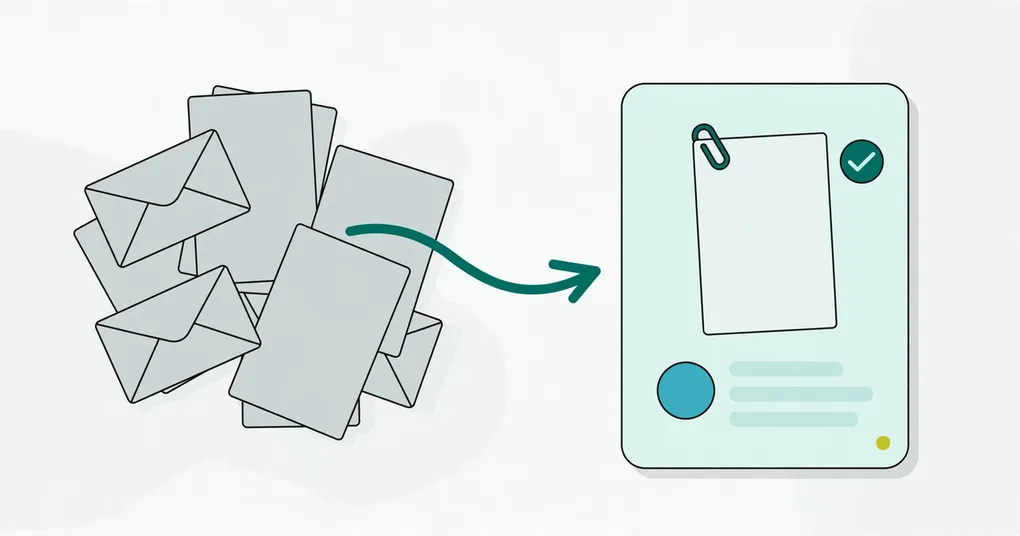
The short answer: a candidate should send their CV once. Your job is to store it in one place, tied to the candidate’s profile, where everyone on the hiring side can find it. That place can be a shared Drive folder or a tool that links CVs, notes and meetings to a profile. Email inboxes and laptops do not count.
Key takeaways
- Asking for a resend tells the candidate your process is disorganized.
- CVs get lost in three places: the shared inbox, the “sort later” folder and the export you never tested.
- One CV, one place means one storage location you control, one profile per person and one naming rule.
- Notes and meetings belong on the same profile as the CV.
- The checklist near the end takes about an hour to set up.
Why do CVs get lost?
CVs get lost because they arrive in places that were never meant to be an archive. In my experience there are three usual culprits.
The email black hole
Someone applies to jobs@company.com. Whoever watches that inbox downloads the CV, maybe forwards it to the hiring manager, then archives the email. The CV now lives in a forward chain and a Downloads folder. Good luck.
The “I’ll organize this later” folder
You save CVs to process later. They land in Downloads, on the Desktop, or in a folder called “Candidates - Sort Later”. Later never comes. Soon you have fifty files called “Resume_Final_v2.pdf” and no idea who is who.
The export you never tested
Some teams keep CVs inside a tool and assume they can get them out. When someone leaves or you switch tools, you find the export covers names and emails but not always the attached files. Test your export before you need it.
Why does asking for a resend matter?
It matters because the candidate reads it as a sign of how you run the process. I think they draw three conclusions:
- You are disorganized. If you cannot keep one PDF, how do you keep a pipeline?
- They are not a priority. If they were your first choice, you would have kept the file.
- The rest is probably chaotic too. If the CV is gone, where are the interview notes and the other interviewers’ feedback?
For senior candidates with options, that is a yellow flag. It is rarely a dealbreaker. It still counts.
What does “one CV, one place” mean?
It means every CV is saved once, at the moment you receive it, in a single location that you control and that is attached to one candidate record. No copies in email, no copies on laptops.
You can do this by hand with a shared Google Drive folder:
Hiring/
└── Candidates/
    └── [Job title]/
        └── [Candidate name] - CV.pdf
Anyone on the hiring side can open any CV. If someone leaves, the files stay. If you switch tools, the files stay.
The manual version has limits. The folder does not know which interview notes or meetings belong to which person. You rebuild that link in your head every time.
How does TalentsGrid handle it?
TalentsGrid is an AI hiring copilot for freelance recruiters and small teams: it scores each CV against your job with quotes as evidence, turns gaps into interview questions, and keeps your candidate data yours. The storage part works like this, based on what the product does today:
- Where the file goes. Each workspace uses managed cloud storage by default. An admin can connect a company Google account in settings, and from then on new CV uploads are saved in that Google Drive. Disconnecting Drive stops CV uploads until it is reconnected, so test the connection after you set it up.
- One profile per candidate. The CV sits on the candidate’s profile. You can view, download or delete it there.
- Versions. Uploading a new CV adds a version instead of replacing the old one. The profile shows the current CV and lets you open previous versions. Your plan sets a cap on how many versions one candidate can hold, so delete old ones when you hit it.
- Notes and meetings. Candidate notes and interview notes live on the same profile. You can schedule a meeting (phone screen, HR interview, technical or final interview) from the candidate’s page and see it on the Meetings page.
- Applicants from the job board. If you publish a job on
https://jobs.talentsgrid.com/, a candidate applies there with a name, email, consent and one CV file (PDF, DOC or DOCX, up to 5 MB). No account needed. The application creates a candidate in your workspace, attaches the CV to that profile, and links the candidate to the job. If the same email applies to the same job again, it is not stored twice. - Your data stays yours. You choose managed storage or your own Drive, and you can export candidate data. Read more in why candidate data should not be held hostage.
Nothing here replaces your judgment. A CV on a profile can be scored against a job, and the score shows quotes from the CV. You still decide who moves forward.
Checklist: a one-CV-one-place system
Set this up once. Most of it is a decision, not work.
- Pick one home for CVs. A shared Drive folder, or a tool with a candidate profile. Write down which one.
- Make it company-owned. Use a shared or company account, not a personal inbox or laptop, so the files survive when people leave.
- Name files the same way.
Candidate name - CV.pdf, or the tool’s profile name. Add a date if you collect updates. - Save at receipt. Open the email, save the CV, delete the attachment from your working folder. Do not forward CVs around.
- Send applicants to one door. A single application link or inbox that feeds the same place. A job-board application form does this for you.
- Keep versions, not copies. When a candidate sends an updated CV, add it as a new version of the same record.
- Attach notes and meetings to the same record. One profile per person, with interview notes and scheduled meetings on it.
- Test the export. Once, before you need it. Open a few files from the export.
- Set a clean-up date. Decide how long you keep rejected candidates’ CVs and remove them on schedule.
What if I am a solo recruiter?
It matters even more when you work alone. In six months you may want to reach a candidate you passed on. With a system you find their CV and your notes in a few seconds. Without one you dig through half a year of email. If you are starting from nothing, begin with the folder above and move to a profile-based tool when the folder stops scaling.
FAQ
Is it ever okay to ask a candidate to resend a CV?
Yes, when they have a newer version, or when the file is corrupted or unreadable. In those cases you are asking for something new. Asking again because you lost the original is the problem.
Where should I store CVs: Google Drive or an ATS?
Either works if it is company-owned, shared and searchable. Drive is free and simple but does not link notes or meetings to a person. A tool with candidate profiles keeps everything together. Check that you can export your data and the files.
Does TalentsGrid save CVs to my Google Drive?
If an admin connects a company Google account in settings, new CV uploads are saved in that Drive. Without it, CVs go to managed cloud storage. Either way the CV is attached to the candidate’s profile.
Where do CVs from the job board end up?
Applications from https://jobs.talentsgrid.com/ create a candidate in the workspace that published the job. The CV is stored with the workspace’s storage choice and linked to the candidate and the job.
How many CV versions can a candidate have?
Versions are capped per candidate by plan. When you reach the cap, the profile asks you to delete an older version before uploading a new one. Check the pricing page for current plans.
Want CVs, notes and meetings on one profile? Start for free, no credit card for the Free plan.